Screenshots
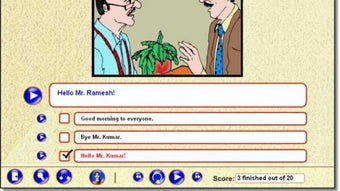
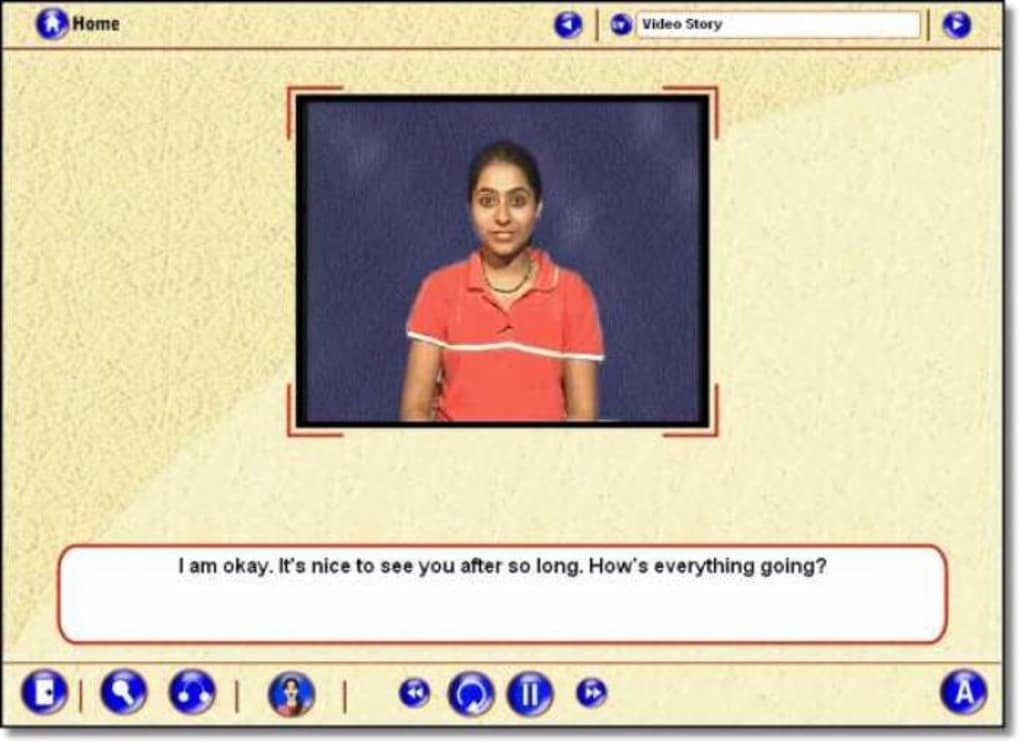
App details
- Version
- 1.0
- Size
- 103.15 MB
- Updated
- March 10, 2017
- Requires
- Windows 2000
- Language
- English
- License
- Trial version
- Developer
- Itbix
- Category
- Windows OS
SoftPas in:
This product is also available in the following languages:
About Cafe English
Download Cafe English – Free Windows Language Learning Tool
Overview of Cafe English
Cafe English is a lightweight, trial‑version language learning program designed exclusively for Windows computers. Developed by Itbix, this educational software falls under the Science & Education category with a specific focus on Language & Translation. Although the program is modest in size, it packs a solid set of tools that help beginners practice English vocabulary, pronunciation, and basic grammar through interactive exercises. Since its addition to major software catalogs in 2012, Cafe English has amassed over 27,000 downloads, with a steady stream of users from Egypt, India, and Turkey. The software runs on legacy operating systems as far back as Windows 98, making it accessible to users with older hardware that cannot support modern, resource‑heavy applications. The current version (1.0) was last updated on June 16, 2012, and remains free to download and try. Its English‑only interface eliminates language barriers for non‑native speakers seeking a simple, no‑cost way to improve their English skills while enjoying a café‑style learning environment. Whether you are a student, a casual learner, or a teacher looking for a supplemental classroom tool, Cafe English offers a secure, straightforward solution that can be installed in minutes without sacrificing valuable disk space.
Key Features of Cafe English
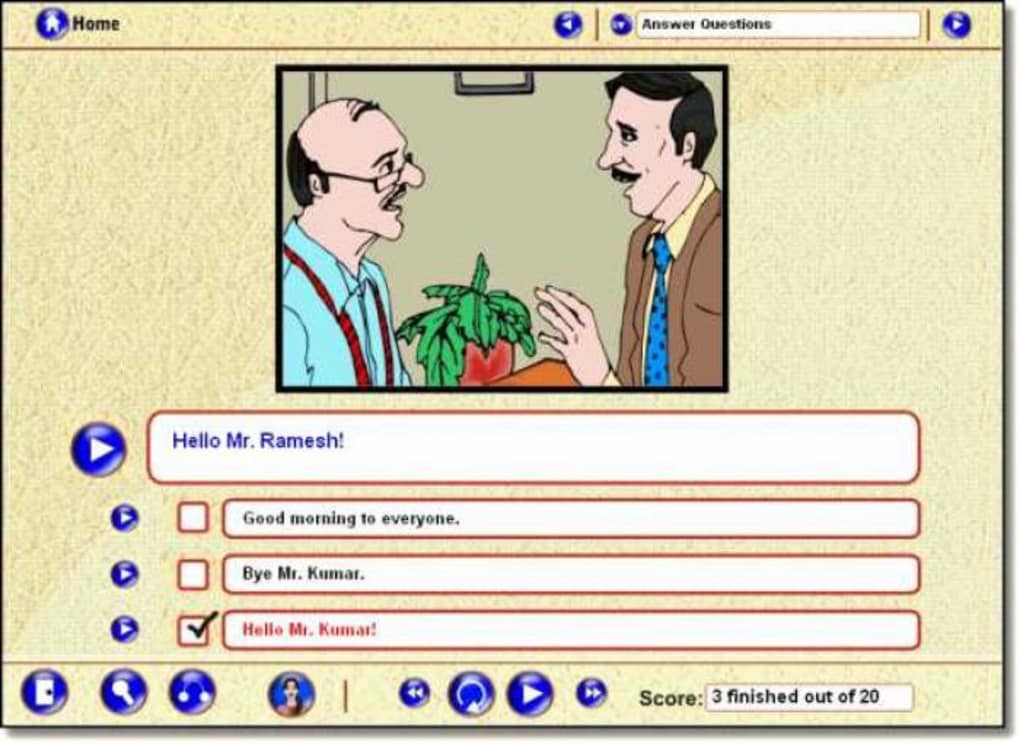
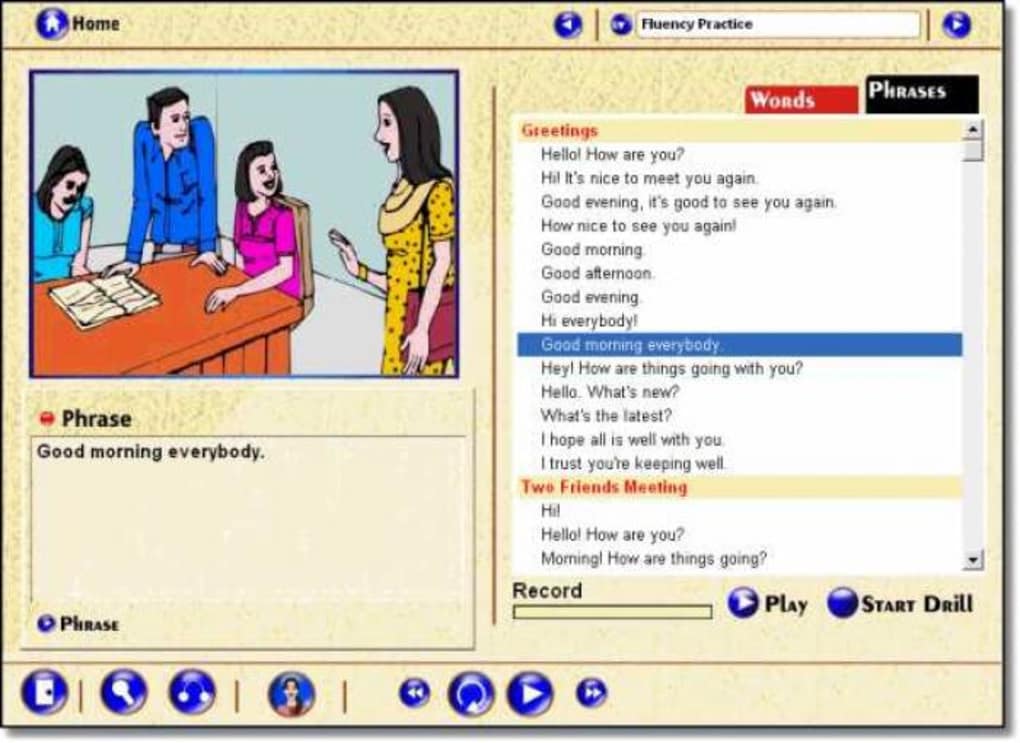
- Interactive vocabulary drills with audio pronunciation.
- Basic grammar quizzes that adapt to user performance.
- Simple café‑themed interface that makes learning feel relaxed.
- Progress tracking to monitor improvement over time.
- Lightweight installer (under 15 MB) suitable for low‑spec PCs.
- Offline operation – no internet connection required after installation.
- Support for Windows 98, Windows ME, Windows 2000, and later versions.
- Free trial version with optional upgrade path for full features.
The design philosophy behind Cafe English is to keep the learning experience intuitive and enjoyable. Each vocabulary drill is paired with clear audio cues recorded by native speakers, allowing learners to practice accurate pronunciation. Grammar quizzes cover essential topics such as verb tenses, subject‑verb agreement, and prepositions, providing immediate feedback that helps reinforce correct usage. The café‑themed UI presents lessons as menu items, turning the learning process into a familiar, everyday activity. Users can easily see their progress through a visual dashboard that records completed lessons, accuracy rates, and time spent studying. Because the program operates entirely offline, learners in regions with limited internet connectivity can still benefit from consistent practice. Moreover, the low system footprint ensures that even older machines—common in many developing markets—can run the software smoothly without slowing down other applications.
While Cafe English is positioned as a trial version, the core functionalities are sufficient for anyone aiming to build a solid foundation in English. The modular structure also makes it easy for developers to add new lesson packs or integrate additional language modules in future updates. This flexibility, combined with its free distribution model, has contributed to its popularity across diverse user bases.
Installation, Usage Instructions, and Compatibility
Cafe English is compatible with Windows 98 and all later Windows versions up to Windows 10. Because the software was built for legacy systems, it does not require .NET Framework 4.0 or newer, which means it can run on machines that lack recent updates. The minimum system requirements are modest: a 1 GHz processor, 256 MB RAM, and at least 30 MB of free disk space. These specifications make it an ideal choice for users with older desktops or laptops.
Step‑by‑Step Installation Guide
- Download the installer file from the official Itbix website or a trusted software portal.
- Locate the downloaded
cafe_english_setup.exein your Downloads folder. - Double‑click the file to launch the wizard. If prompted by Windows User Account Control, click “Yes” to allow the installation.
- Read and accept the End‑User License Agreement, then click “Next”.
- Select the destination folder (the default path is
C:\Program Files\Cafe English) and click “Install”. - The installer will copy files and configure shortcuts. This process typically takes less than a minute on most systems.
- Once installation completes, click “Finish” to launch the application immediately or close the wizard.
First‑Time Use and Navigation
Upon launching Cafe English, you will be greeted by a simple splash screen that invites you to “Enter the Café”. The main menu mimics a coffee shop layout, with sections labeled “Starters” (vocabulary), “Main Course” (grammar), and “Desserts” (listening practice). Clicking on a section opens the corresponding lesson module. For new users, a brief tutorial explains how to navigate the interface, start a lesson, and view your progress dashboard. Each lesson includes a “Start” button, a “Repeat” option for audio playback, and a “Check Answer” feature that provides instant feedback.
Because the program works offline, you can study anywhere—on a train, in a café, or at home—without worrying about Wi‑Fi availability. All data, including your scores and progress history, is stored locally on your hard drive, ensuring privacy and quick access. If you wish to reset your progress, a “Reset” button is available in the settings menu, which clears all stored data and returns the application to its default state.
Pros and Cons of Cafe English
Pros
- Very lightweight – minimal impact on system resources.
- Runs on legacy Windows operating systems (Windows 98 and up).
- Free trial version provides core learning tools without cost.
- Offline functionality ideal for low‑bandwidth environments.
- Simple, café‑themed UI makes learning feel informal and engaging.
- Audio pronunciations recorded by native speakers improve speaking skills.
Cons
- Only available in English; no multilingual interface.
- Last updated in 2012, so the content may feel dated for advanced learners.
- Lacks advanced features such as speech recognition or AI‑driven personalization.
- No mobile (Android/iOS) version, limiting use on smartphones and tablets.
- Trial version may restrict access to future lesson packs without purchase.
Overall, Cafe English strikes a balance between accessibility and functionality. Its primary strength lies in delivering a straightforward, low‑cost learning experience to users with older hardware or limited internet connectivity. However, those seeking cutting‑edge technology, extensive language options, or mobile compatibility may need to explore newer alternatives. The program’s simplicity is both its advantage and its limitation, making it an excellent entry‑level tool while highlighting the need for future updates to stay competitive in the evolving edtech landscape.
Frequently Asked Questions
Is Cafe English completely free to use?
The trial version of Cafe English is free to download and use indefinitely for the core features. Some advanced lesson packs may require a one‑time purchase, but the basic vocabulary and grammar modules remain free.
Can I install Cafe English on a modern Windows 10 PC?
Yes. Although the software was originally built for Windows 98, it is fully compatible with Windows 10 and runs without any compatibility mode.
Does Cafe English require an internet connection?
No. After the initial download and installation, the program operates completely offline, making it suitable for users with limited or no internet access.
What languages does the interface support?
The interface is available only in English. All menus, prompts, and instructional text are presented in English, which aligns with its purpose as an English‑learning tool.
Is there a way to back up my progress?
Progress data is stored locally in the installation folder. You can manually copy the progress.dat file to a backup location to preserve your scores and lesson history.
Conclusion – Should You Download Cafe English?
Cafe English remains a solid choice for learners who need a lightweight, free, and offline solution to practice basic English skills on Windows PCs, especially those with older hardware. Its café‑themed design offers a relaxed learning atmosphere, and the inclusion of native‑speaker audio makes pronunciation practice effective. While the software lacks modern features like AI‑driven personalization and mobile apps, its simplicity can be a refreshing alternative to bloated, subscription‑based platforms. If you are a beginner, a student with limited resources, or a teacher seeking a supplemental classroom tool, downloading Cafe English today will give you immediate access to essential language practice without any cost.
Ready to start your English journey? USD 0.00 – Download Cafe English now and enjoy a secure, hassle‑free installation that works on virtually any Windows computer.
Guides & Tutorials
How to install Cafe English
- Click the Download button above.
- Once redirected, accept the terms and click Install.
- Wait for the Cafe English download to finish on your device.
How to use Cafe English
This software is primarily used for its core features described above. Open the app after installation to explore its capabilities.
User Reviews
No reviews yet. Be the first to share your experience.
You may also like
more
Llama 2
Free-to-use large language model As the new addition to Meta’s arsenal of langua...

NotebookLM
Revolutionizing the note-taking and idea-generation process NotebookLM is an exp...

Github co pilot
AI-inspired software development and coding platform GitHub Copilot is a browser...

Google Gemma
Google’s lightweight AI models Introducing Google Gemma , a family of cutting-ed...

AI Image Enlarger
A free app for Windows, by ai-image-larger. AI Image Enlarger is a free software...

DALL E
AI-driven text-to-image transformation engine DALL·E is a free graphic and desig...